Studio booking
Studio Assistant
An AI front desk for fitness, pilates and yoga studios that books classes and free trials on WhatsApp and Instagram, runs the waitlist and turns trials into members.
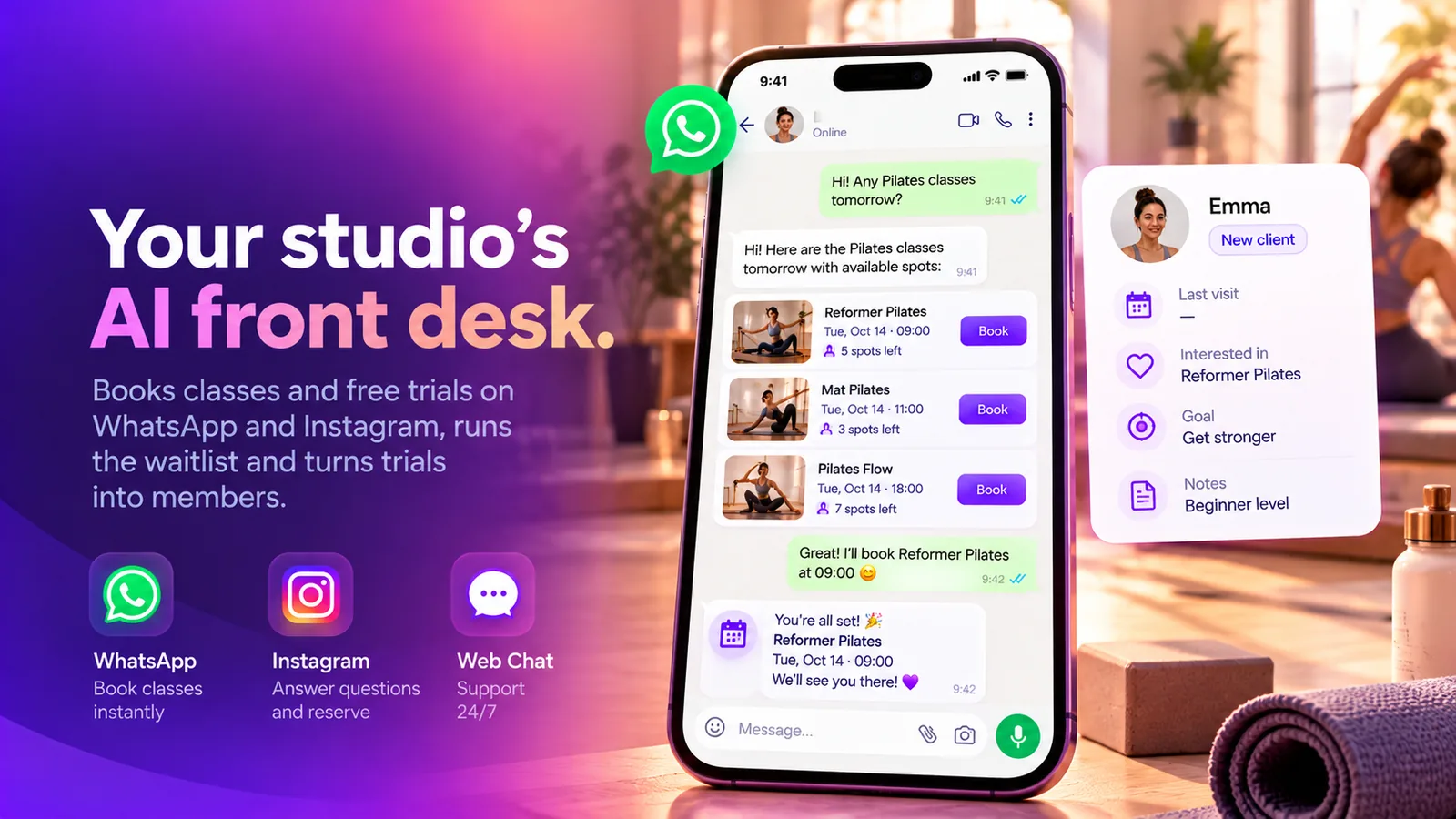
Studio Assistant is the front desk of a pilates, yoga or dance studio, a boutique fitness studio or a gym with group classes, on WhatsApp, Instagram and web chat.
It answers questions about classes, levels, trainers and plans from your own information, books people into classes and free trials with real places left, puts them on the waitlist when a class is full, and keeps members coming with reminders, trial follow-ups and renewal reminders.
It understands voice messages and replies in the person’s language.
In the UAE
Trial classes, waitlists and renewal reminders for boutique studios and gyms across the Emirates.
What it does
-
Only real places
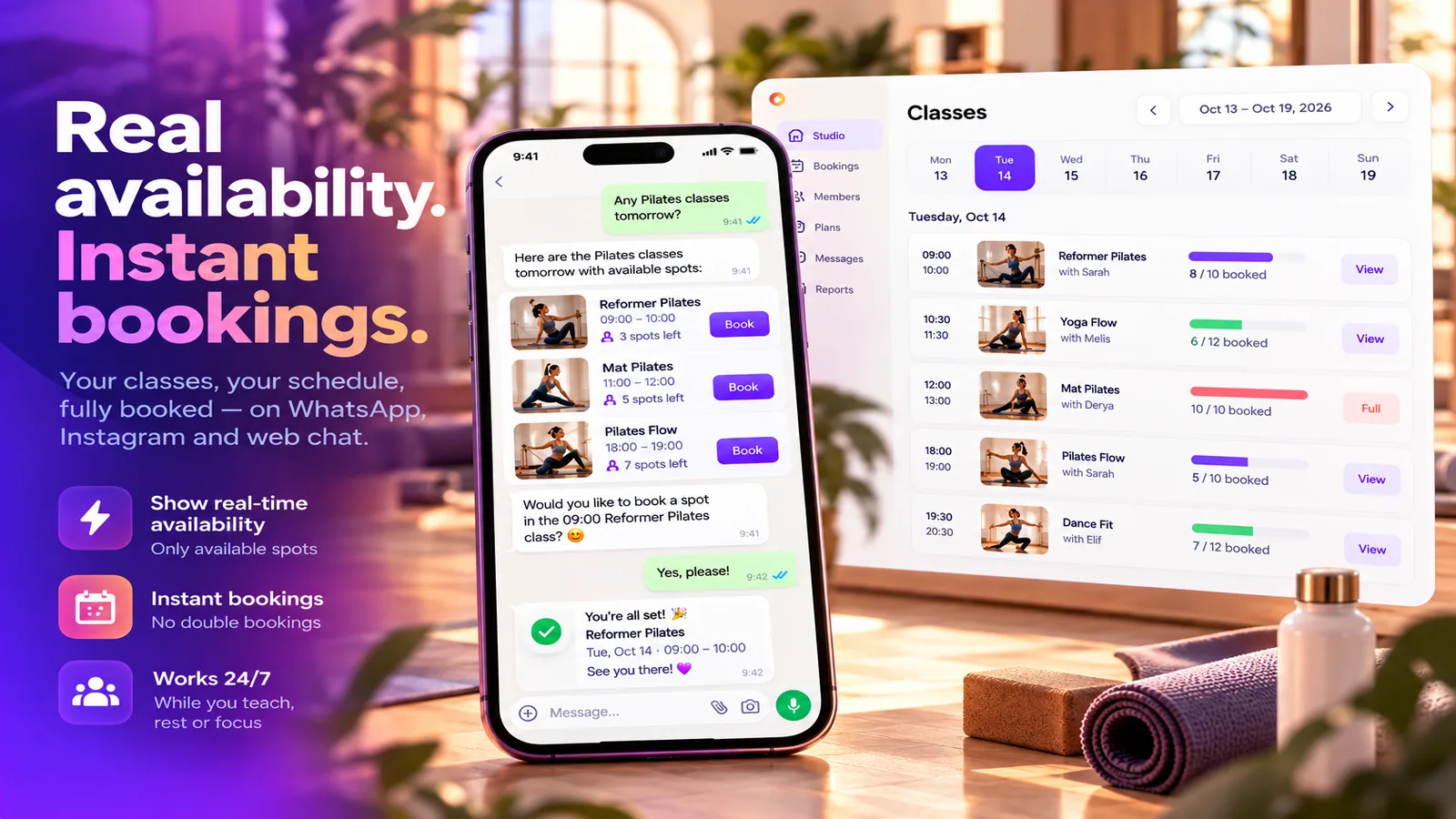
Places come from your weekly timetable, each class’s capacity and the bookings already made. It never offers a class the timetable does not have.
-
Trials that become members
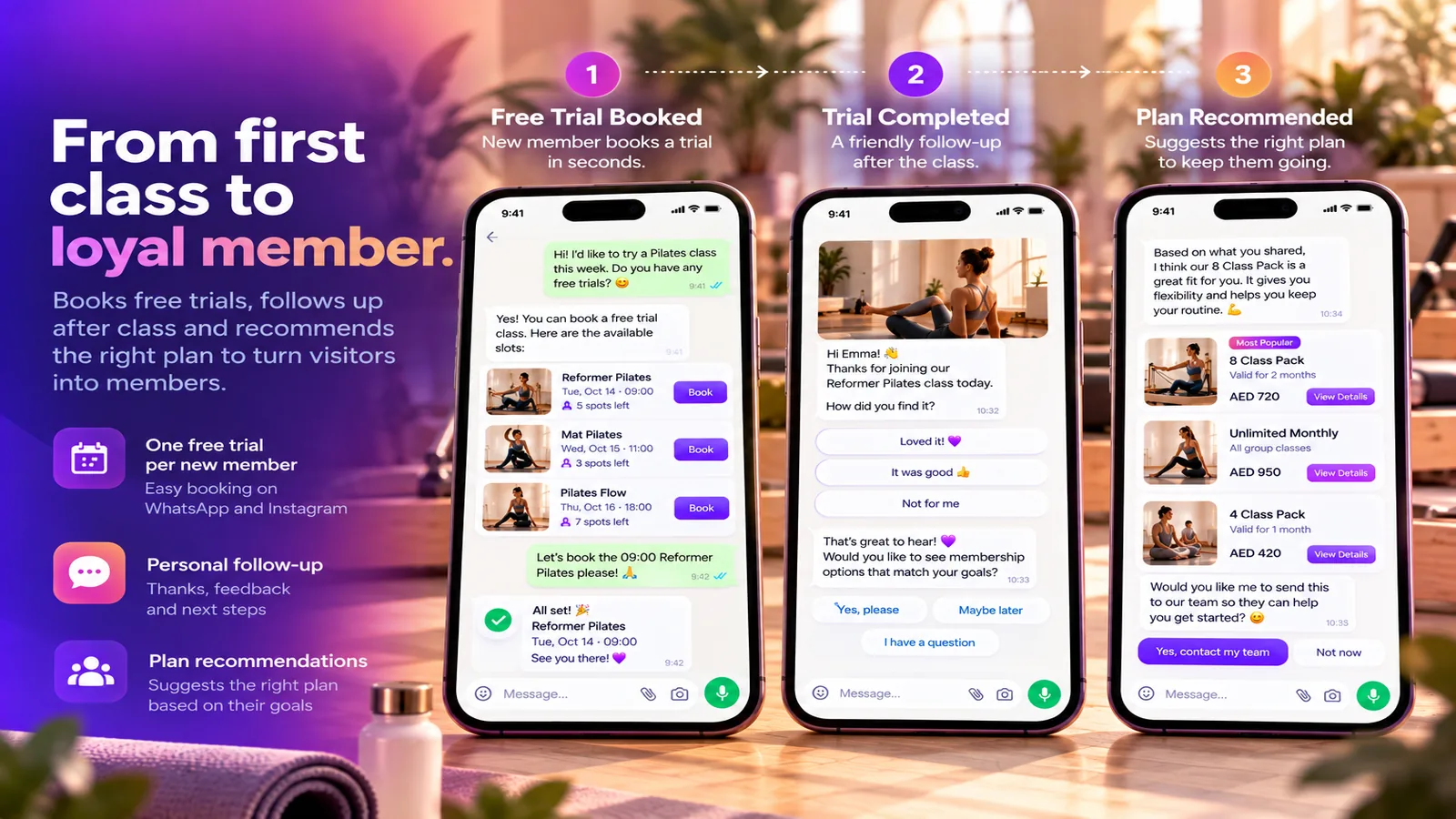
One free trial per new person, a thank-you after the class with a button to see which plan fits, and a recommendation from your plans when they answer.
-
Waitlists that run themselves
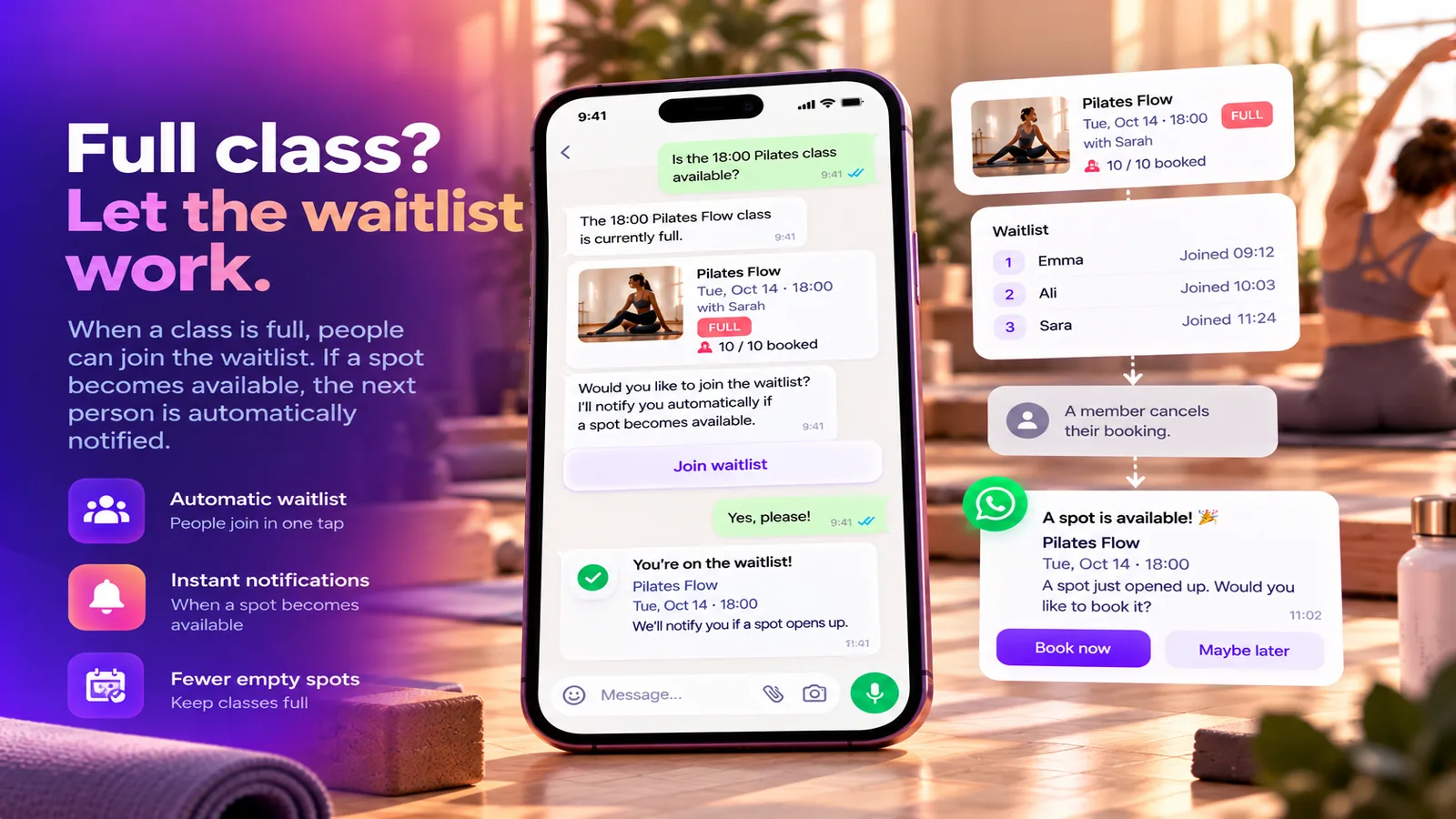
A full class puts people on the waitlist. When someone gives a place back, the first person waiting gets it and is told at once.
Inside the app
-
Fill classes around the clock
People ask, pick a class and get a place while you are teaching.
-
Fewer empty mats
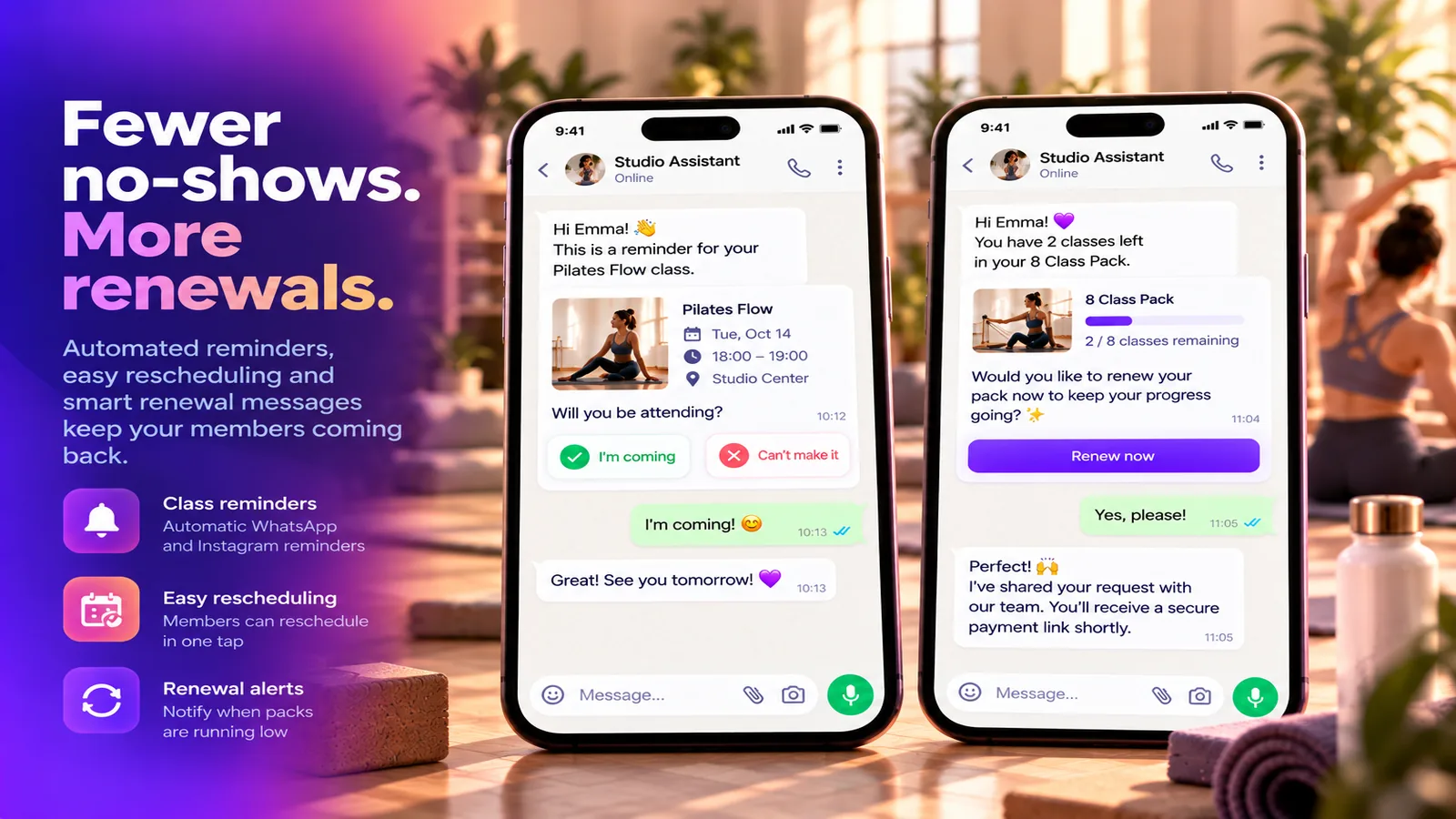
A reminder a few hours before each class with “I’m coming” and “Can’t make it”. A place given back goes straight to the waitlist.
-
Plans that renew
Members on a class pack or monthly plan are counted down class by class. When a plan is nearly used up they get a Renew button that reaches your team.
-
Know every member
Plan and classes left, classes attended, and the goals and injuries the assistant saved for the trainers.
-
Studio screens
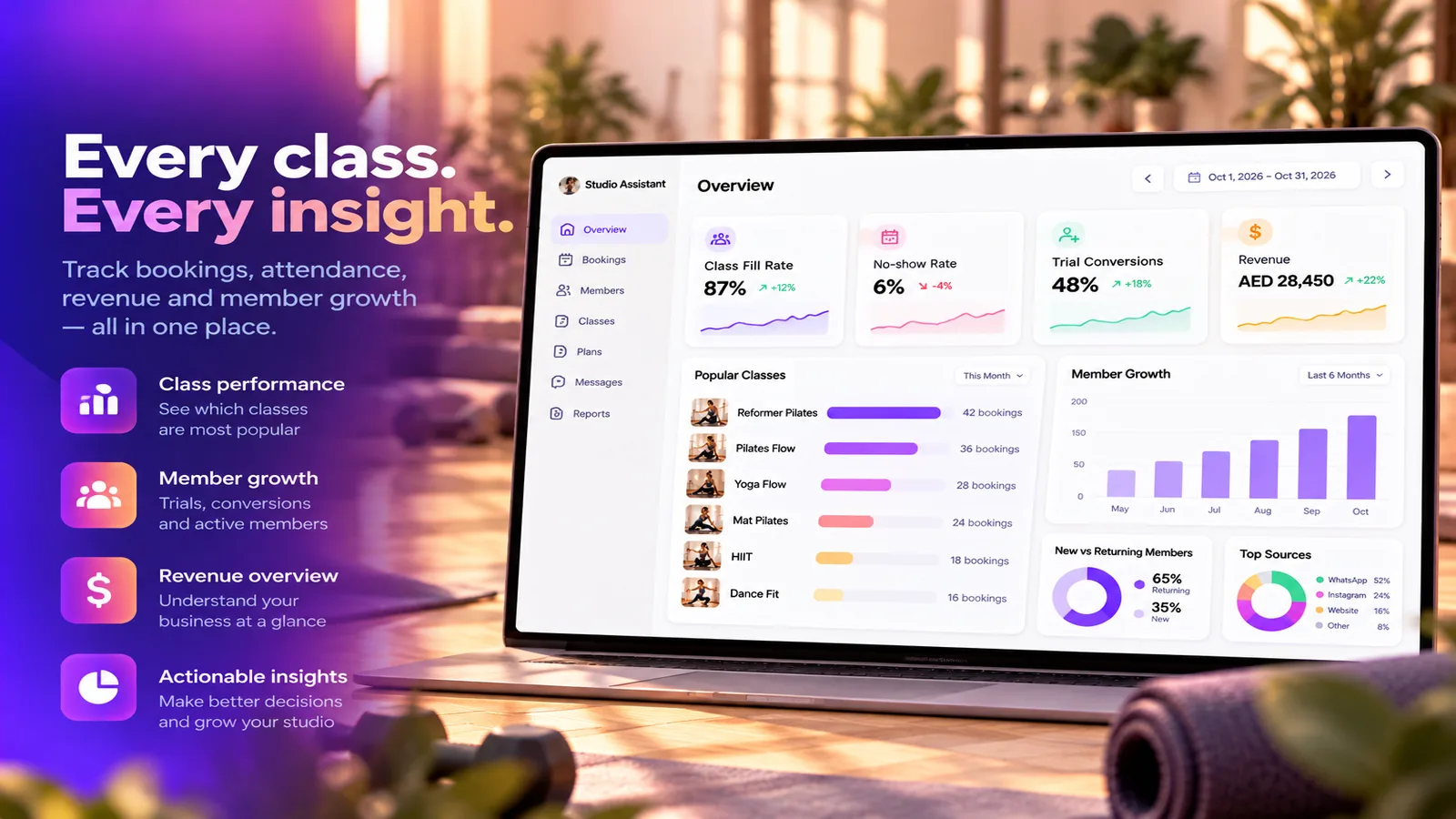
This week’s classes with places taken (open one to see who is coming and mark attendance), bookings, members, plans sold and messages taken, plus settings for classes, timetable, trainers, plans, booking rules, automatic messages, how it talks and handover.
-
Studio reports
Fill rate per class, no-shows with and without reminders, free trials and how many bought a plan, plans sold and revenue, and attendance per trainer.
-
Beside the conversation
The person’s plan, classes left, next classes and health notes, with a button to sell a plan.
-
Your rules
Free trials, drop-ins, waitlists, the cancellation window and late cancellations follow your rules, checked on the server for every booking.
Getting started
-
Set up your studio
Pick your kind of studio (classes, a weekly timetable and plans are filled in for you), then add your name, reception hours and trainers. It takes about two minutes.
-
Check timetable and prices
Check the timetable and add your prices on the Plans tab.
-
Turn the assistant on
Nothing runs until you turn it on. Turning it on also starts the reminders and follow-ups that are switched on.
-
Try it as a new member
Message your own number the way a new member would, with or without sample data.
Good to know
- Turning the assistant on submits the WhatsApp templates its reminders and follow-ups need on your number; their approval status is shown in the app.
- Plans are paid with your team: the assistant passes the request and you record the plan.
- Sample data fills the week, members and reports so you can try everything on day one. Sample members are never messaged, and it all comes out with one click.
Screens
FAQ
Frequently asked questions
Short answers to the questions we hear most.
Which studios is it for?
Pilates, yoga and dance studios, boutique fitness studios and gyms with group classes. When you set it up you pick your kind of studio and classes, a weekly timetable and plans are filled in for you.
Which channels does it answer on?
WhatsApp, Instagram and web chat. It understands voice messages and replies in the person’s language.
What happens when a class is full?
The person goes on the waitlist. When someone gives a place back, the first person waiting gets it and is told at once.
How does it handle free trials?
One free trial per new person. After the class it sends a thank-you with a button to see which plan fits, and recommends one of your plans when they answer.
Does it take payments for plans?
No. Plans are paid with your team: the assistant passes the request and you record the plan. It never quotes a price you did not enter.
Will it message members before I am ready?
No. Nothing runs until you turn the assistant on, and sample members are never messaged.
Other apps
-
Real Estate Assistant
Sends matching listings as WhatsApp cards, books viewings with reminders, tracks where each lead came from and runs project launch campaigns. -

Clinic Assistant
A patient coordinator for dental, aesthetic, hair transplant and eye clinics: treatment cards, bookings or call-backs, reminders and follow-up after treatment. -

Salon Assistant
Books salon and spa appointments on WhatsApp and Instagram from your own calendar, sends reminders and brings clients back. -

Rental Desk Assistant
Quotes real prices for the dates asked, takes bookings, collects licence and ID photos and sends pick-up and return reminders. -

Garage Assistant
Sends cars from your stock as WhatsApp cards, books test drives and service visits, gets extra work approved and sends a payment link when the car is ready. -

Hotel & Travel Assistant
Quotes your real room rates, books stays, tours, tables and transfers, and sends deposit payment links. -

Shop Assistant
Shows products with a checkout link, answers “where is my order?”, recovers abandoned carts and handles returns, connected to Shopify or your own platform. -

Store Assistant
Shows stock per store, takes click & collect reservations, tracks orders and runs a loyalty club with points and coupons. -

School Assistant
An admissions office that recommends programs, books trial lessons and placement tests, collects documents and sends fee instalment reminders with payment links. -

Citizen Services Assistant
A service desk for public institutions: requests with photos and location, routing with a time to resolve, status updates, office appointments and surveys. -

Donor Assistant
A donor desk for charities: campaigns as cards, donations with a code and the way to pay, receipts, field photos and volunteers.
First month of Growth on us
Bring every customer conversation into one place.
Connect your first channel in minutes. Basic is free for 1,000 outgoing messages a month.
One code per business • 30 days to redeem • No card needed