E-commerce
Shop Assistant
An AI shop desk for online stores that shows products with a checkout link, tracks orders, recovers abandoned carts, handles return requests and sends campaign messages, connected to Shopify or your own platform.
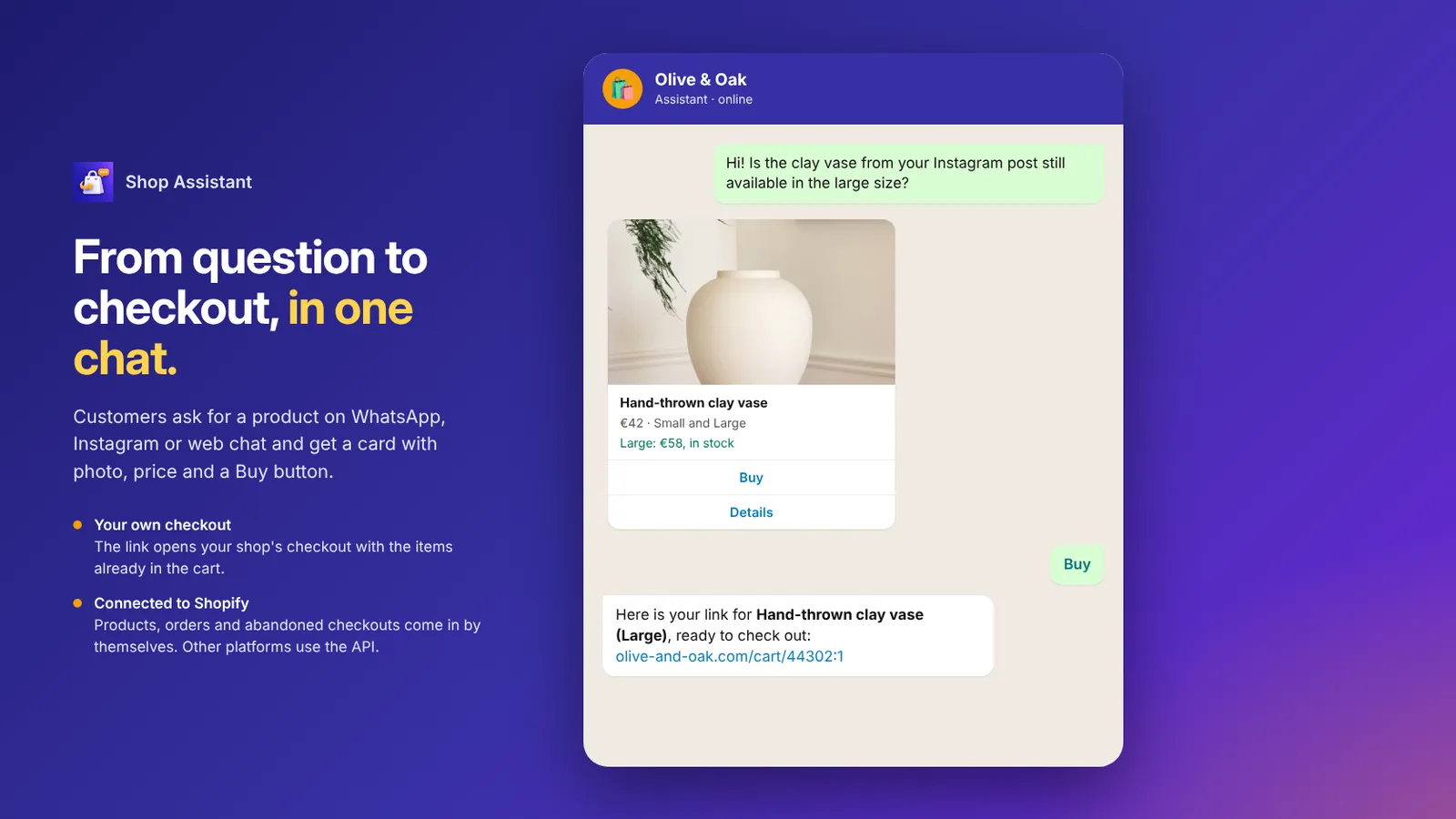
Shop Assistant is the WhatsApp, Instagram and web chat desk of an online shop. It works around the clock and answers customers in their own language, including voice messages.
Shipping, returns and your own questions are answered only from the policies and questions you approve. It never invents prices, codes or delivery dates.
Whenever a person is needed, it hands the conversation over to your team or takes a message.
In the UAE
For online stores getting ready for White Friday and the Dubai Shopping Festival.
What it does
-
From question to checkout, in one chat
Customers ask for a product, a size or a colour and get product cards with photo, price and Buy and Details buttons. Buy sends a link that opens your shop’s own checkout with the items already in the cart, and the order is placed in your shop as usual.
-
Abandoned carts, brought back
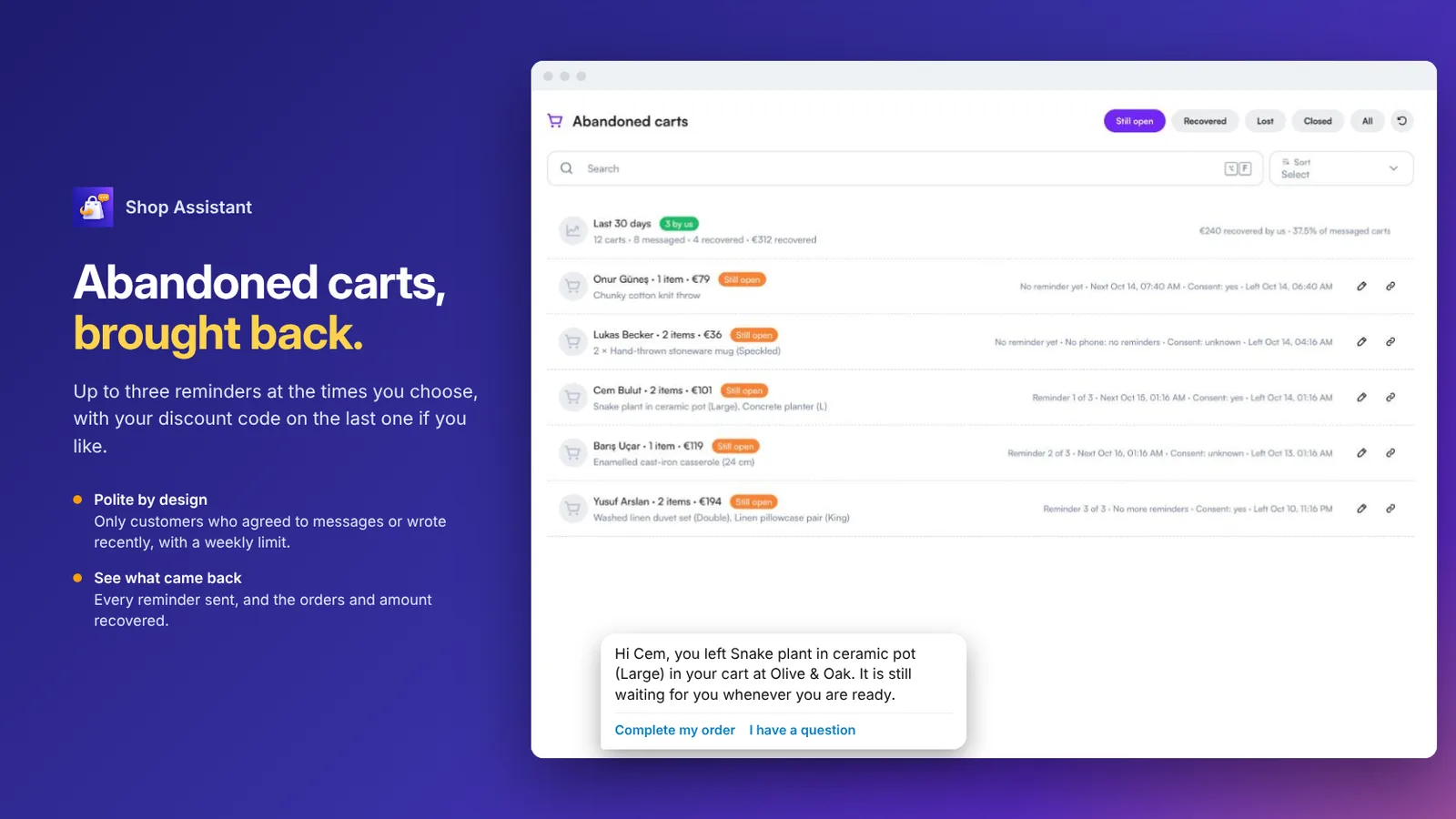
Up to three reminders after a checkout is left, at the times you choose, with a Complete my order button that opens the same checkout. Add your discount code to the last reminder if you like.
-
“Where is my order?” answered
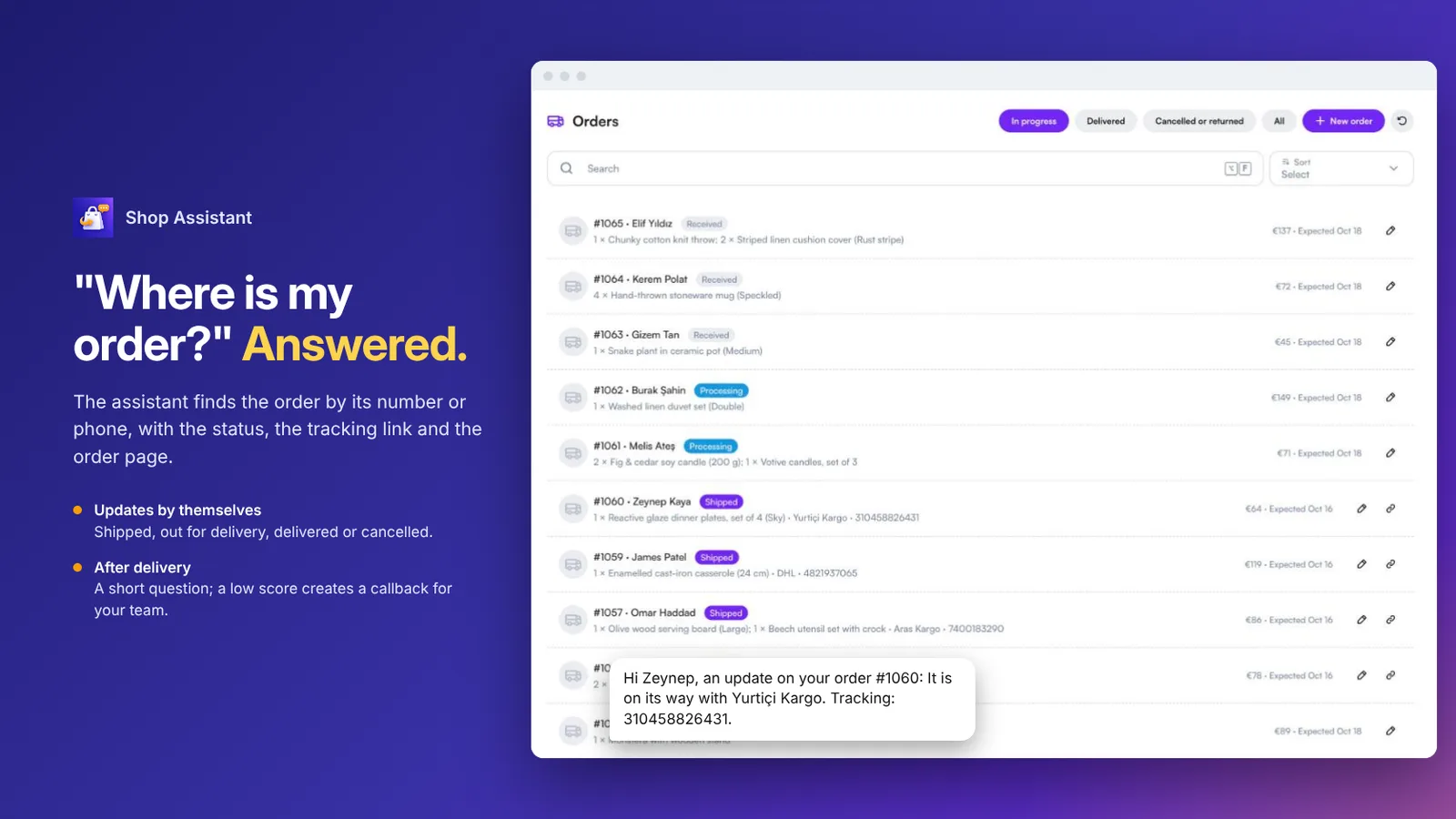
The assistant finds the order by its number or the customer’s phone and gives its status, the tracking link and the order status page.
Inside the app
-
Connect Shopify
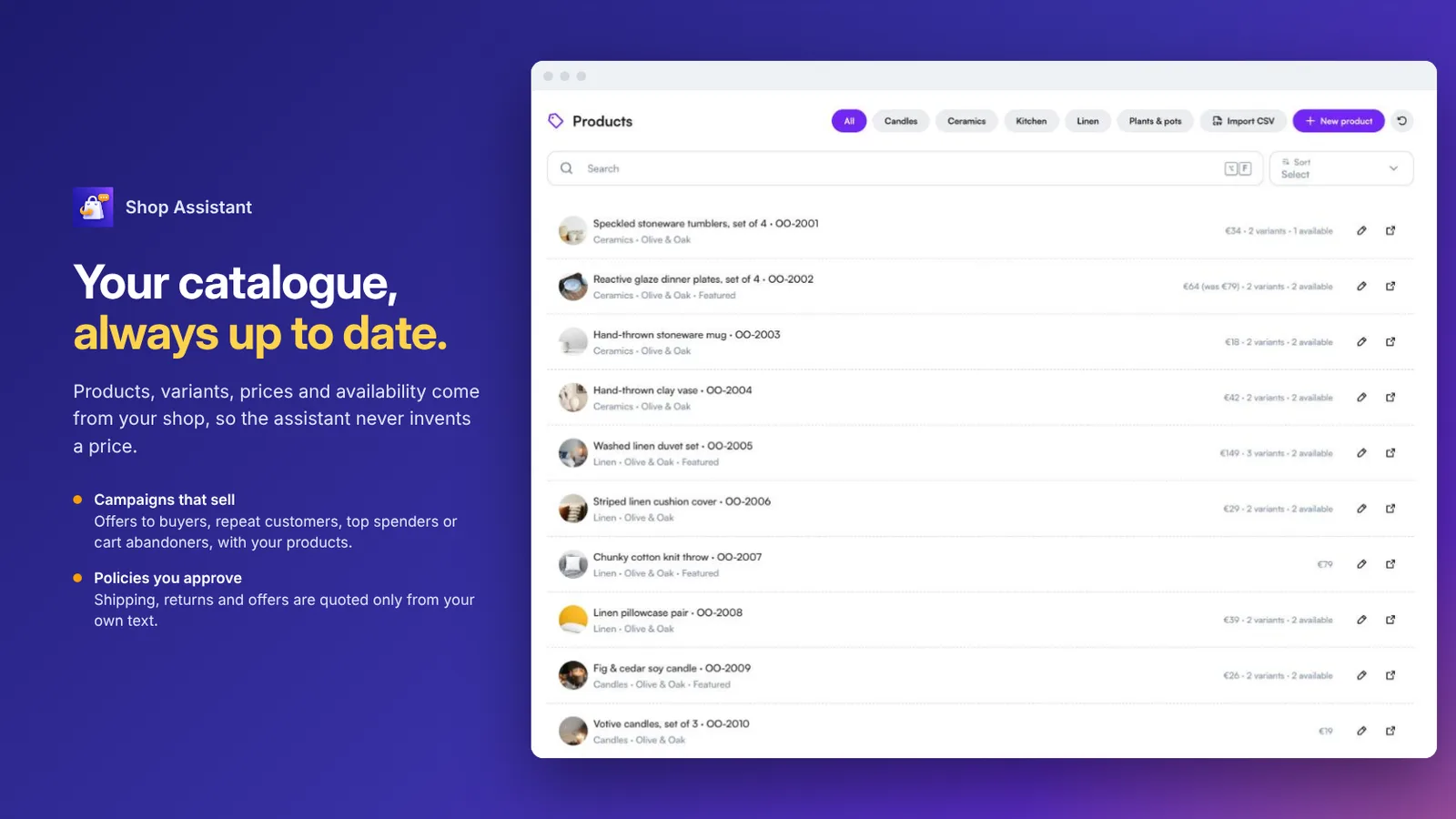
Products, orders and abandoned checkouts come in by themselves every 30 minutes. Connect with an Admin API access token or with the Client ID and secret of an app made in the Shopify Dev Dashboard.
-
Any other platform
Send products, orders and carts through the HTTP API, or import products from a CSV file.
-
Polite cart reminders
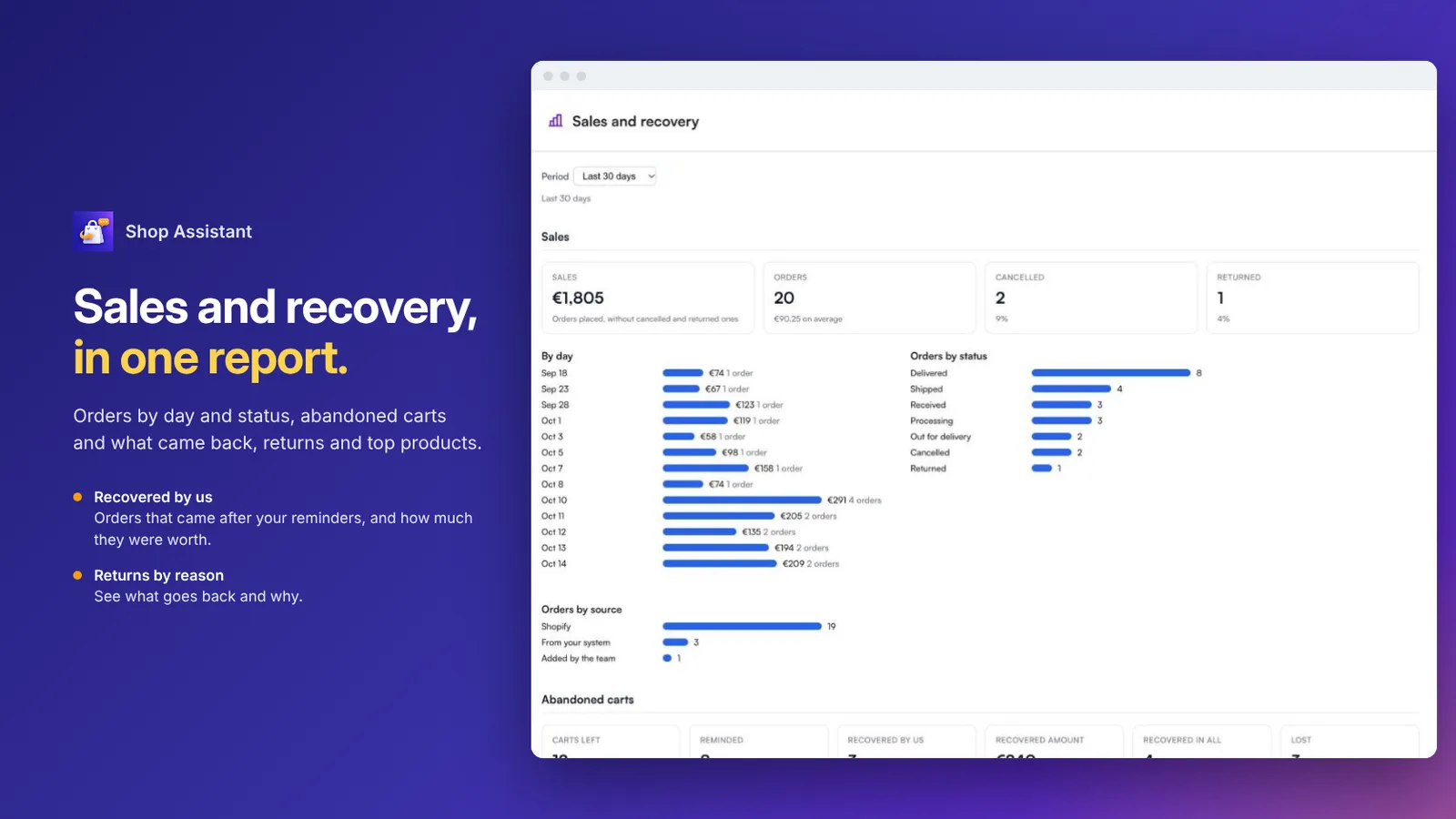
Only customers who agreed to marketing messages, or who wrote to you recently, are reminded, and a weekly limit keeps it polite. You see every cart, each reminder sent, and the orders and amount recovered.
-
Returns
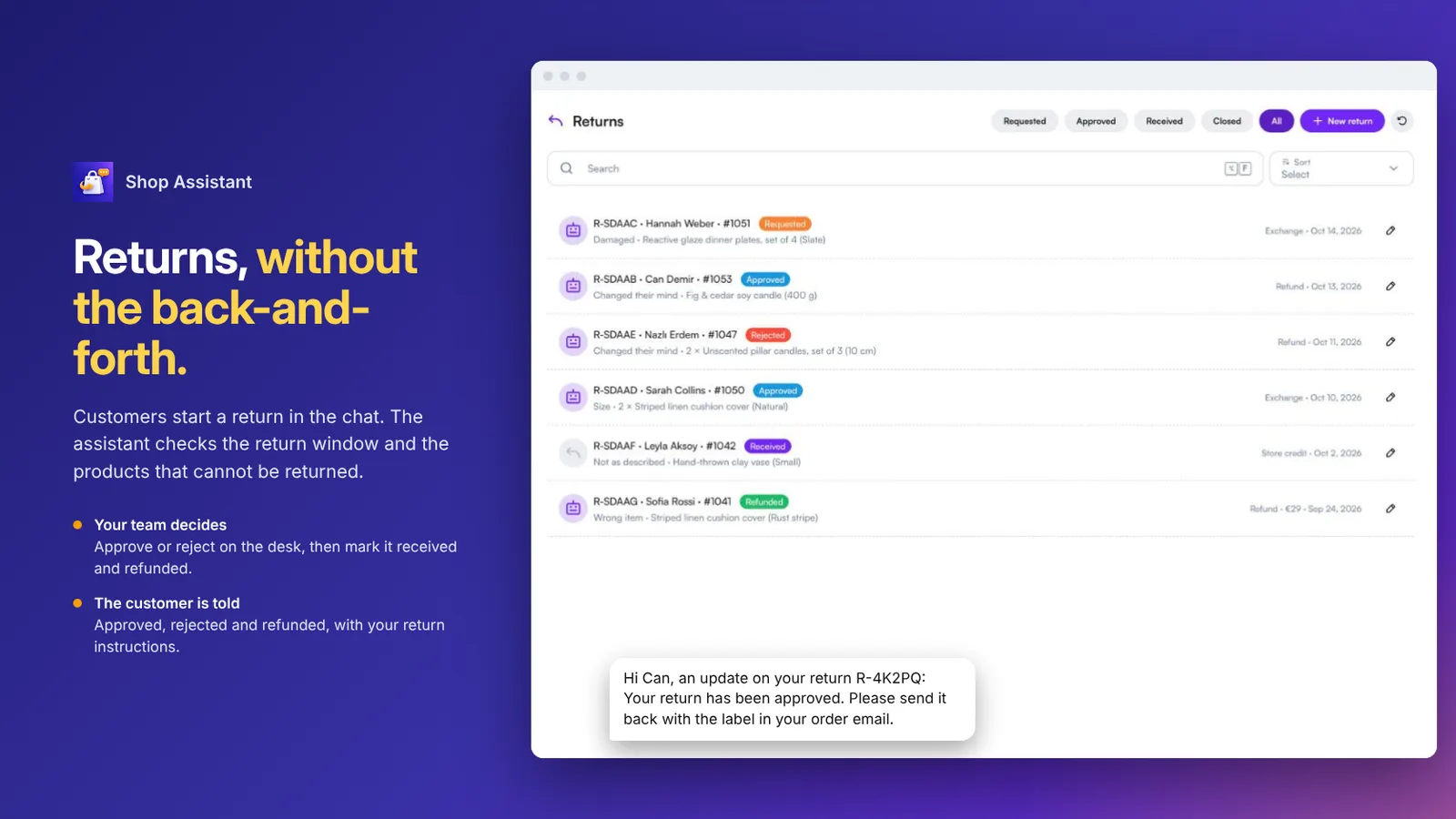
Customers start a return in the chat and the assistant checks the return window and the products that cannot be returned. Your team approves or rejects it on the desk, marks it received and refunded, and the customer is told at each step.
-
Order updates and campaigns
Shipped, out for delivery, delivered and cancelled notices, a short question a few days after delivery, and campaign messages to a chosen group (buyers, repeat customers, top spenders, buyers of a category, cart abandoners) with your products and a code.
-
The shop desk
Returns to review, open carts, orders that have not shipped, new leads and messages taken. Next to each conversation you see the customer’s orders, open carts and returns. Reports show sales, recovery, returns and top products.
Getting started
-
Install the app
Install Shop Assistant in your workspace.
-
Try it with sample data
Sample data (an online home and lifestyle shop) lets you try everything before you connect your shop.
-
Connect your shop
Connect Shopify, or send products, orders and carts from any other platform through the HTTP API or a CSV file.
-
Turn the messages on
Each automatic message can be turned off. WhatsApp templates are submitted for you.
Good to know
- Nobody who said stop is ever messaged, and quiet hours are respected.
- A low score on the after-delivery question creates a callback for your team. The come-back message is off until you turn it on.
Screens
FAQ
Frequently asked questions
Short answers to the questions we hear most.
Which shops is it for?
Online shops that want to answer customers on WhatsApp, Instagram and web chat, connected to Shopify or to their own platform.
How does checkout work?
The assistant sends a link that opens your shop’s own checkout with the items already in the cart. The order is placed in your shop as usual.
How does it connect to Shopify?
With an Admin API access token or with the Client ID and secret of an app made in the Shopify Dev Dashboard. Products, orders and abandoned checkouts come in by themselves every 30 minutes.
Who gets abandoned cart reminders?
Only customers who agreed to marketing messages, or who wrote to you recently. Up to three reminders go out at the times you choose, and a weekly limit keeps it polite.
How are returns handled?
Customers start a return in the chat and the assistant checks the return window and the products that cannot be returned. Your team approves or rejects it, marks it received and refunded, and the customer is told at each step.
Can I try it before connecting my shop?
Yes. Sample data (an online home and lifestyle shop) lets you try everything first.
Other apps
-
Real Estate Assistant
Sends matching listings as WhatsApp cards, books viewings with reminders, tracks where each lead came from and runs project launch campaigns. -

Clinic Assistant
A patient coordinator for dental, aesthetic, hair transplant and eye clinics: treatment cards, bookings or call-backs, reminders and follow-up after treatment. -

Salon Assistant
Books salon and spa appointments on WhatsApp and Instagram from your own calendar, sends reminders and brings clients back. -

Studio Assistant
Books classes and free trials for fitness, pilates and yoga studios, runs the waitlist and turns trials into members. -
Rental Desk Assistant
Quotes real prices for the dates asked, takes bookings, collects licence and ID photos and sends pick-up and return reminders. -

Garage Assistant
Sends cars from your stock as WhatsApp cards, books test drives and service visits, gets extra work approved and sends a payment link when the car is ready. -

Hotel & Travel Assistant
Quotes your real room rates, books stays, tours, tables and transfers, and sends deposit payment links. -
Store Assistant
Shows stock per store, takes click & collect reservations, tracks orders and runs a loyalty club with points and coupons. -

School Assistant
An admissions office that recommends programs, books trial lessons and placement tests, collects documents and sends fee instalment reminders with payment links. -

Citizen Services Assistant
A service desk for public institutions: requests with photos and location, routing with a time to resolve, status updates, office appointments and surveys. -

Donor Assistant
A donor desk for charities: campaigns as cards, donations with a code and the way to pay, receipts, field photos and volunteers.
First month of Growth on us
Bring every customer conversation into one place.
Connect your first channel in minutes. Basic is free for 1,000 outgoing messages a month.
One code per business • 30 days to redeem • No card needed