Non-profit
Donor Assistant
An AI donor desk for charities and foundations that shares your campaigns, takes donations in the chat with a code and the way to pay, sends receipts and field photos and video to donors, and registers volunteers.
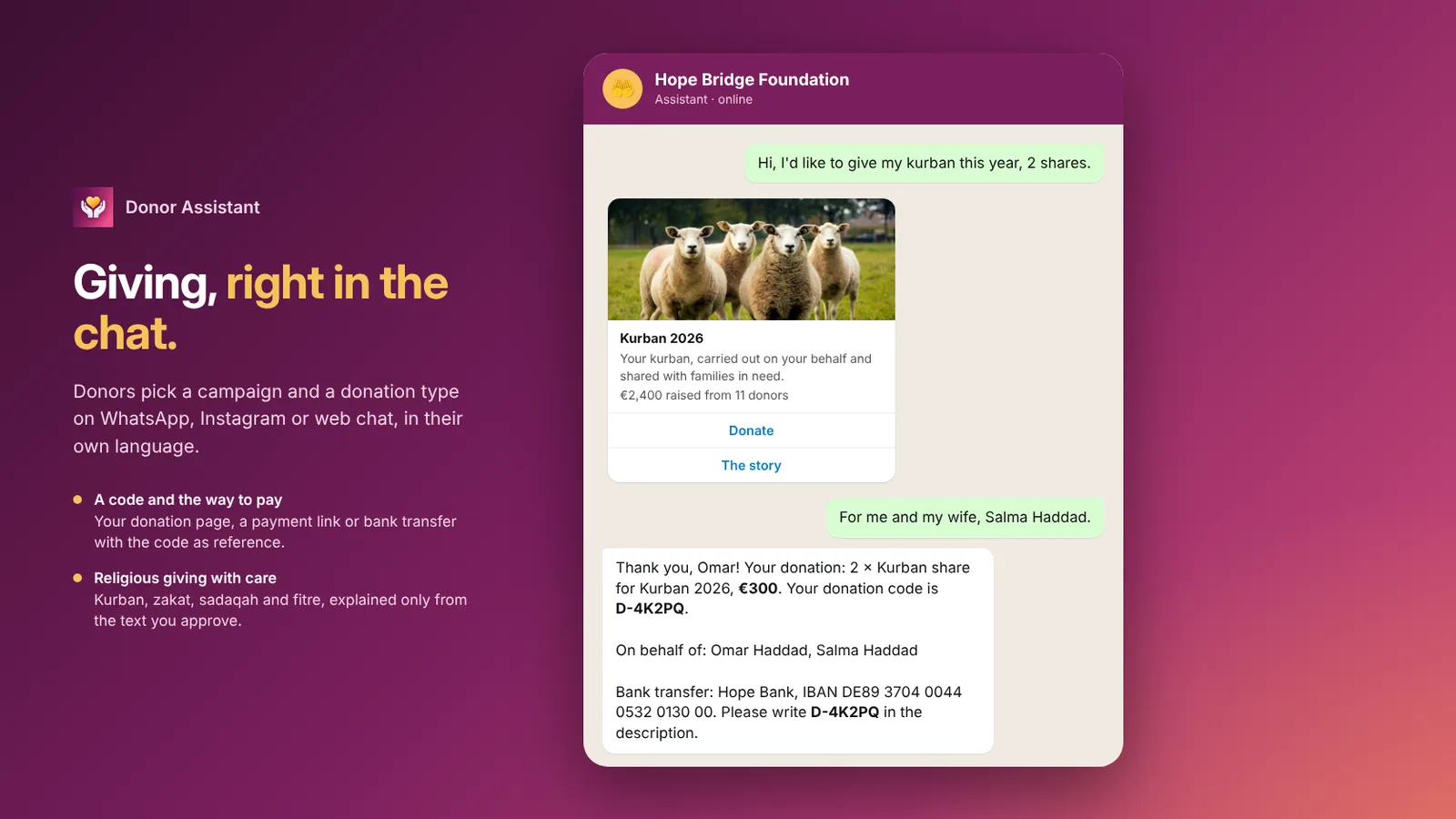
Donor Assistant is the donor and volunteer desk of a charity, foundation or association on WhatsApp, Instagram and web chat. It works around the clock and answers people in their own language, including voice messages.
You choose the kind of organisation once (relief, education, health, religious giving or other), and the donation types and wording follow it.
Religious giving (kurban, zakat, sadaqah, fitre) is explained only from the text you approve. The assistant never calculates zakat or gives rulings; it hands over to your team, as it does whenever a person is needed.
In the UAE
For charities preparing Ramadan campaigns and keeping donors informed with receipts and updates.
What it does
-
Giving, right in the chat
The donor picks a campaign and a donation type (a food parcel, a kurban share, a well share, or any amount), how many and on whose behalf. They get a donation code and the way to pay.
-
Every gift, from pledge to receipt
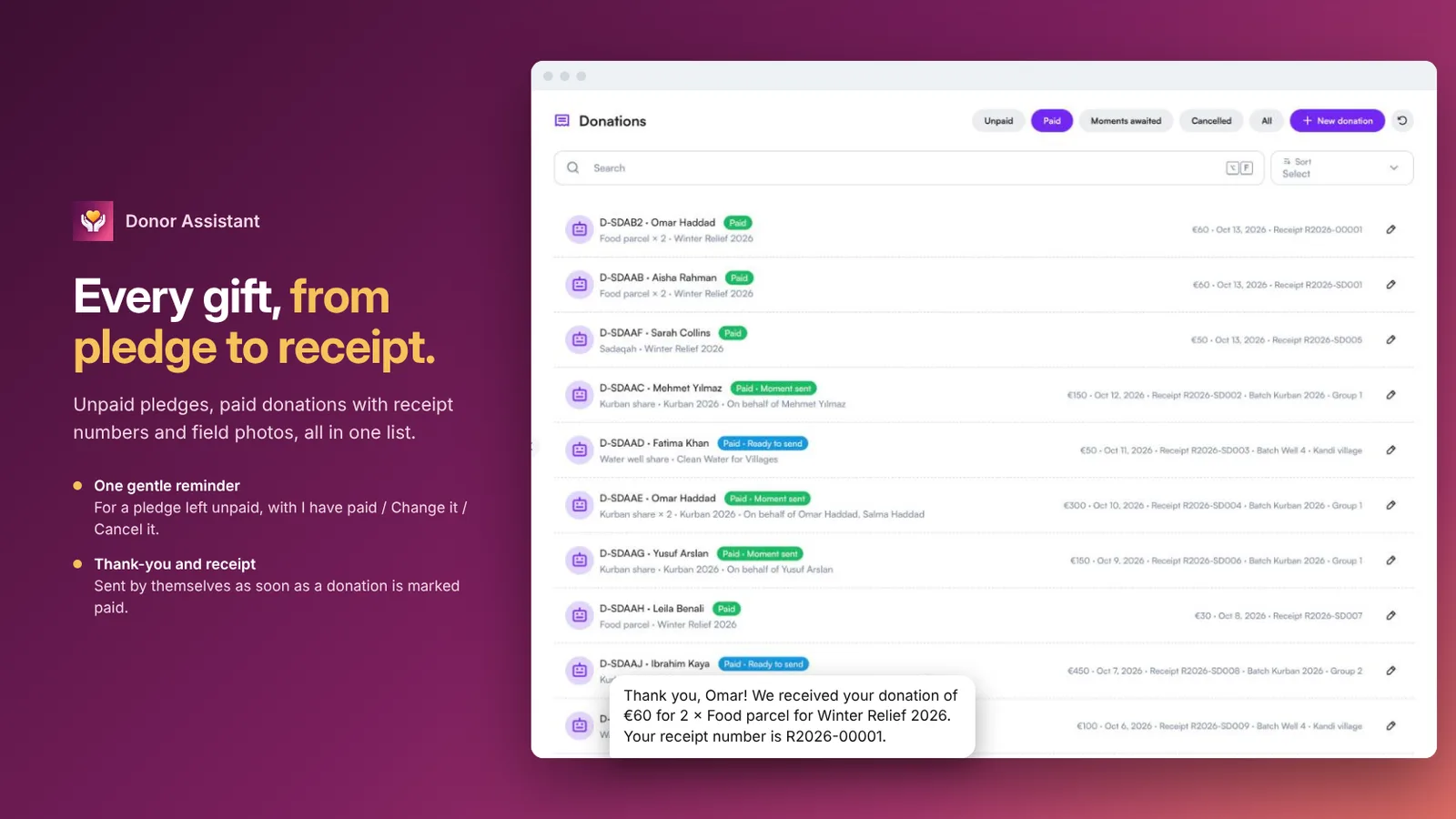
When a donation is paid, by the payment system or marked by your team, the donor gets a thank-you with a receipt number. Donors can ask whether their donation arrived and see their pledges, gifts and receipts.
-
Field photos straight to each donor
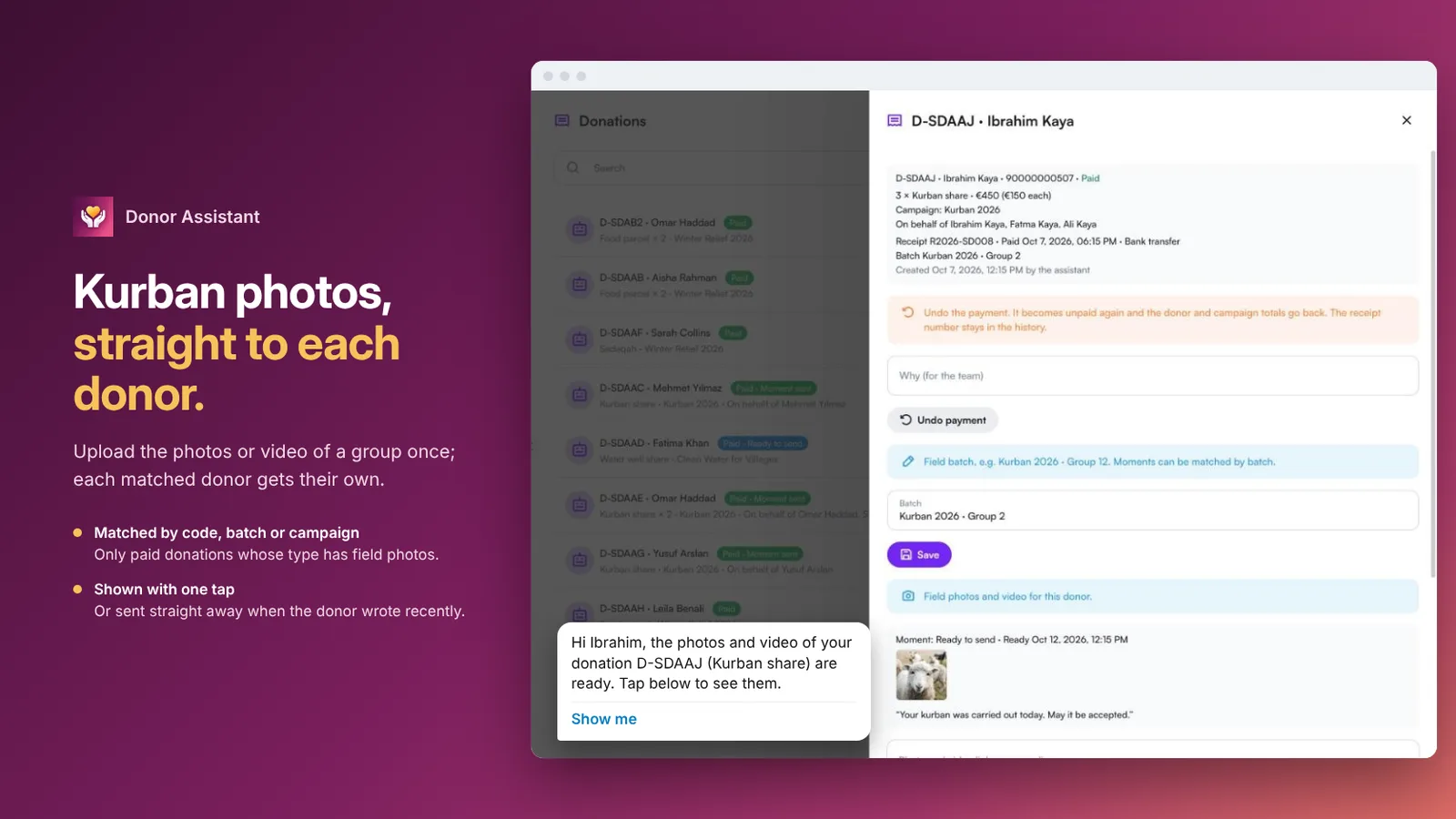
Upload the photos or video of a kurban group, a finished well or a distribution once. Each matched donor, by donation code, field batch or campaign, sees their own with one tap.
Inside the app
-
Campaigns
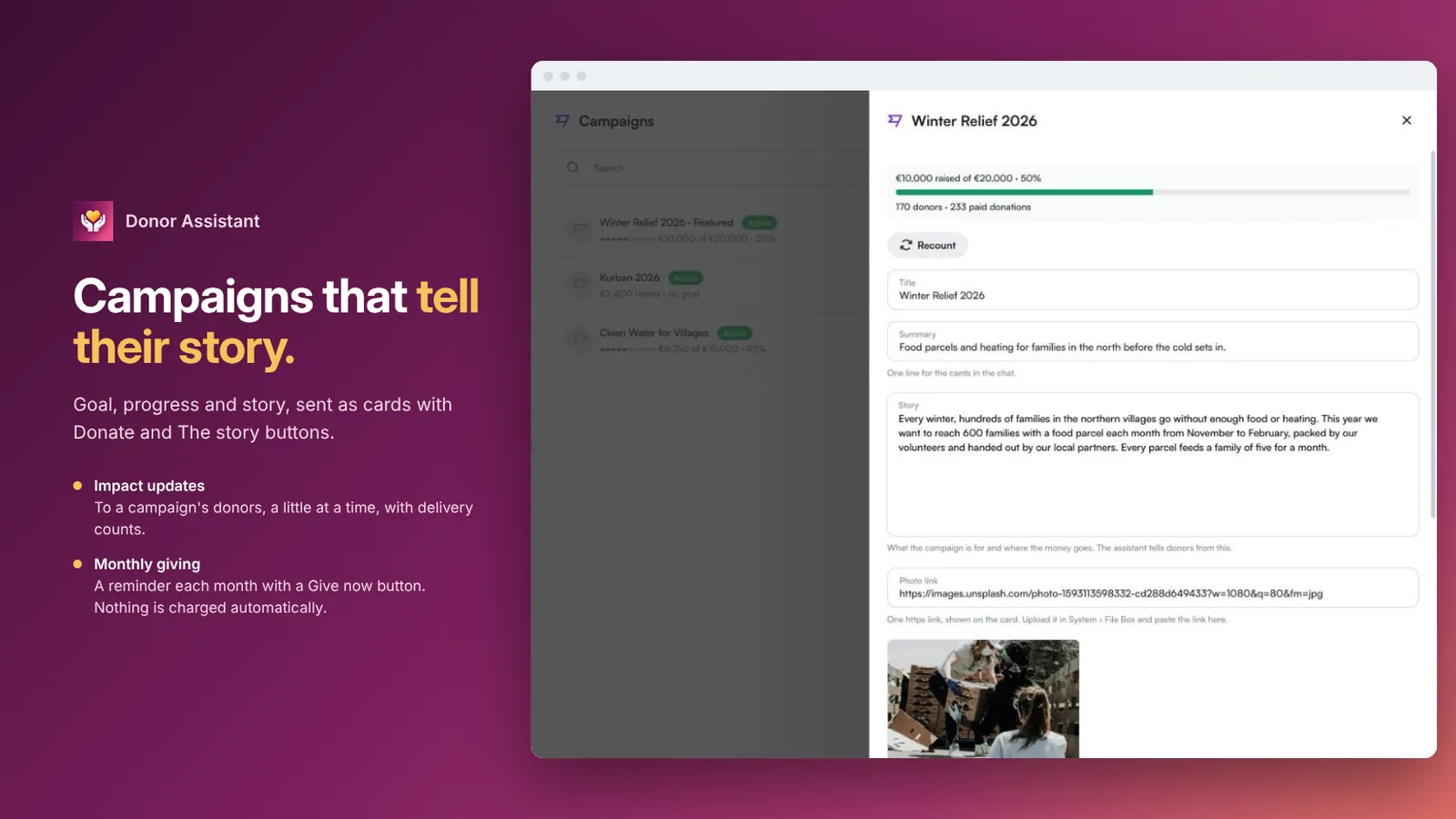
Your campaigns with their story, goal and progress, sent as cards with Donate and The story buttons.
-
Ways to pay
Your own donation page, a payment link from your payment system for the exact amount, or bank transfer with the code as the reference. The assistant never writes card or bank details itself.
-
“Did my donation arrive?”
Donors see their pledges, gifts and receipts, can get the payment details again, say they have paid or cancel an unpaid pledge.
-
Impact updates and monthly giving
Impact updates go to a campaign’s donors a little at a time, with delivery counts. Donors can ask for a monthly reminder with a Give now button; nothing is charged automatically. A come-back message for lapsed donors is off until you turn it on.
-
Volunteers
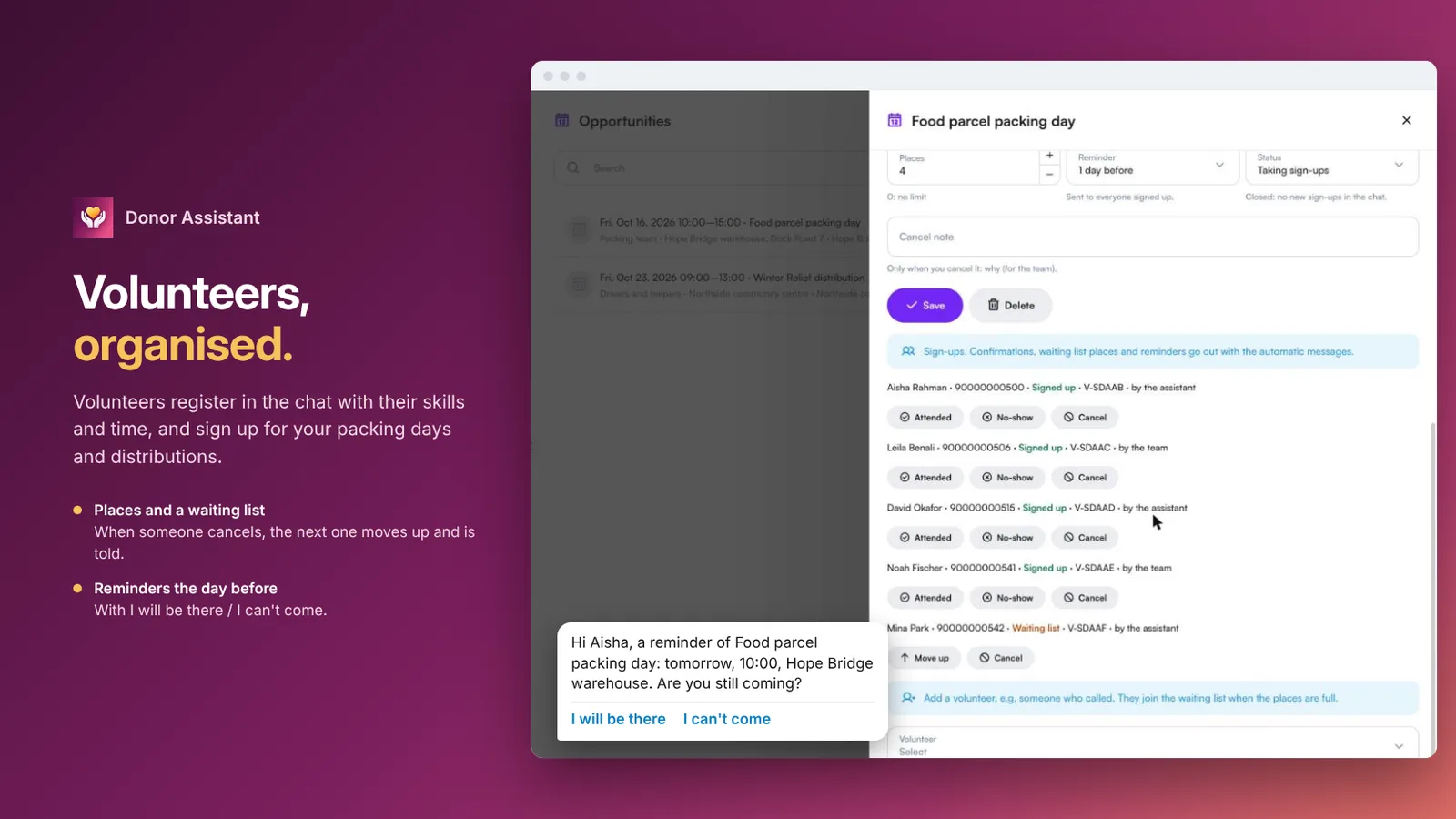
People register in the chat with their skills, when they can help and where, and you approve them. Opportunities such as a packing day go out as cards with places and a waiting list, with reminders before the day and a notice if it is cancelled.
-
Reports
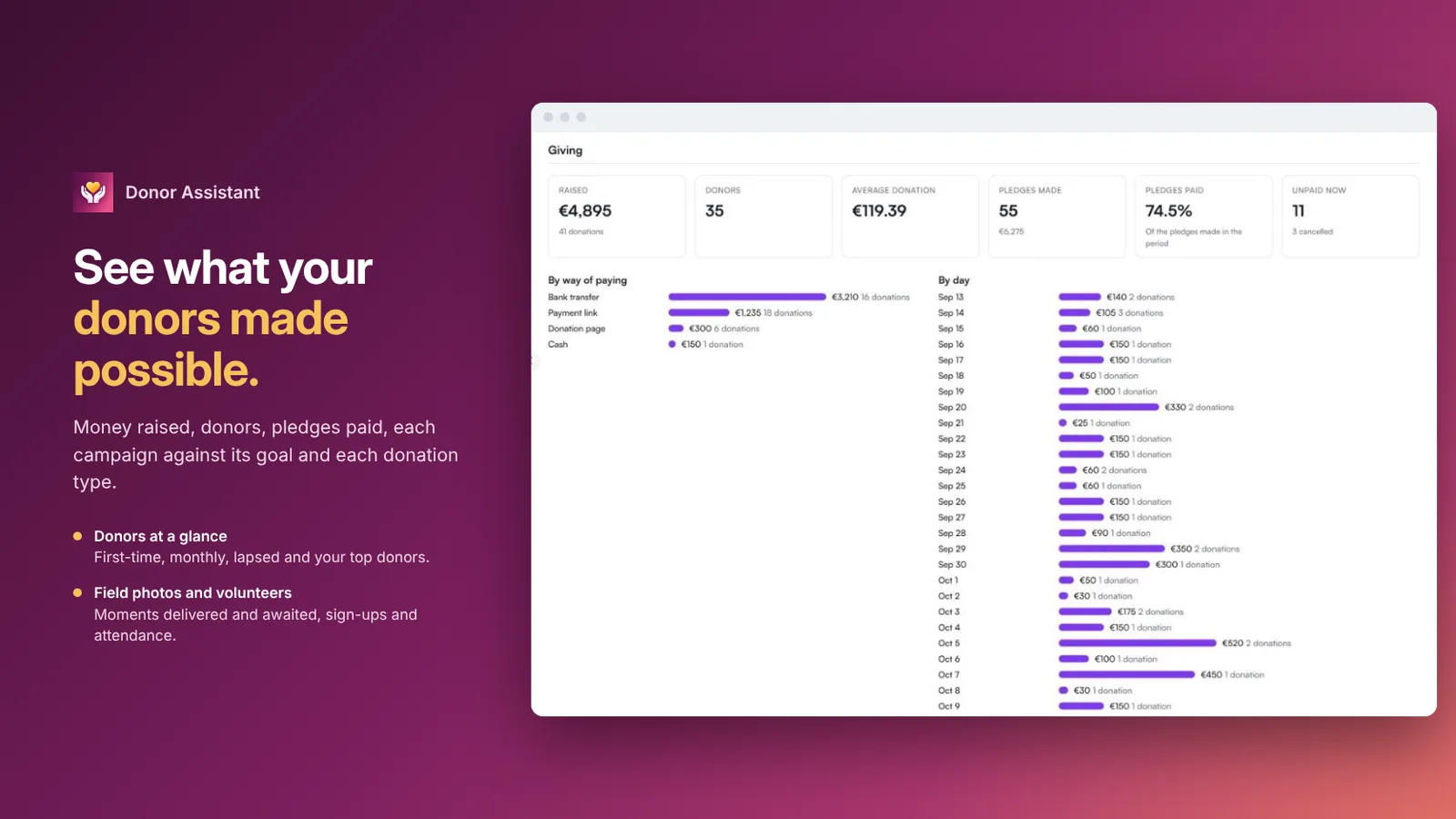
Over 7, 30, 90 or 365 days: money raised, donors, the average gift and pledges paid, each campaign against its goal, first-time, monthly and lapsed donors, moments delivered, volunteers and attendance, and what the assistant and the team handled.
Getting started
-
Install the app
Install Donor Assistant in your workspace.
-
Choose your kind of organisation
Relief, education, health, religious giving or other. The donation types and wording follow it.
-
Add campaigns and ways to pay
Add your campaigns with their story and goal, and choose how donors pay: your donation page, a payment link or bank transfer with the code.
-
Turn the messages on
Each automatic message has its own switch. WhatsApp templates are written and submitted on your number for you.
Good to know
- Nothing goes out in quiet hours or to anyone who said stop.
- The assistant never writes card or bank details itself, and nothing is charged automatically.
Screens
FAQ
Frequently asked questions
Short answers to the questions we hear most.
Which organisations is it for?
Charities, foundations and associations. You choose the kind of organisation once (relief, education, health, religious giving or other), and the donation types and wording follow it.
How do donors pay?
Through your own donation page, a payment link from your payment system for the exact amount, or bank transfer with the donation code as the reference. The assistant never writes card or bank details itself.
Do donors get a receipt?
Yes. When a donation is paid, by the payment system or marked by your team, the donor gets a thank-you with a receipt number.
How are field photos and videos sent?
Upload them once and choose who they are for: a list of donation codes, a field batch or a whole campaign. Each matched donor is told their photos are ready and sees them with one tap.
Does it calculate zakat?
No. Religious giving is explained only from the text you approve. The assistant never calculates zakat or gives rulings; it hands over to your team.
Which channels and languages does it support?
WhatsApp, Instagram and web chat, around the clock, in the person’s own language, including voice messages.
Other apps
-
Real Estate Assistant
Sends matching listings as WhatsApp cards, books viewings with reminders, tracks where each lead came from and runs project launch campaigns. -

Clinic Assistant
A patient coordinator for dental, aesthetic, hair transplant and eye clinics: treatment cards, bookings or call-backs, reminders and follow-up after treatment. -

Salon Assistant
Books salon and spa appointments on WhatsApp and Instagram from your own calendar, sends reminders and brings clients back. -

Studio Assistant
Books classes and free trials for fitness, pilates and yoga studios, runs the waitlist and turns trials into members. -

Rental Desk Assistant
Quotes real prices for the dates asked, takes bookings, collects licence and ID photos and sends pick-up and return reminders. -

Garage Assistant
Sends cars from your stock as WhatsApp cards, books test drives and service visits, gets extra work approved and sends a payment link when the car is ready. -

Hotel & Travel Assistant
Quotes your real room rates, books stays, tours, tables and transfers, and sends deposit payment links. -

Shop Assistant
Shows products with a checkout link, answers “where is my order?”, recovers abandoned carts and handles returns, connected to Shopify or your own platform. -

Store Assistant
Shows stock per store, takes click & collect reservations, tracks orders and runs a loyalty club with points and coupons. -

School Assistant
An admissions office that recommends programs, books trial lessons and placement tests, collects documents and sends fee instalment reminders with payment links. -

Citizen Services Assistant
A service desk for public institutions: requests with photos and location, routing with a time to resolve, status updates, office appointments and surveys.
First month of Growth on us
Bring every customer conversation into one place.
Connect your first channel in minutes. Basic is free for 1,000 outgoing messages a month.
One code per business • 30 days to redeem • No card needed