Reports
Ads Referral Report
See which ads and posts bring you messages: every chat started from a click-to-WhatsApp or Instagram ad, by ad, day and channel.
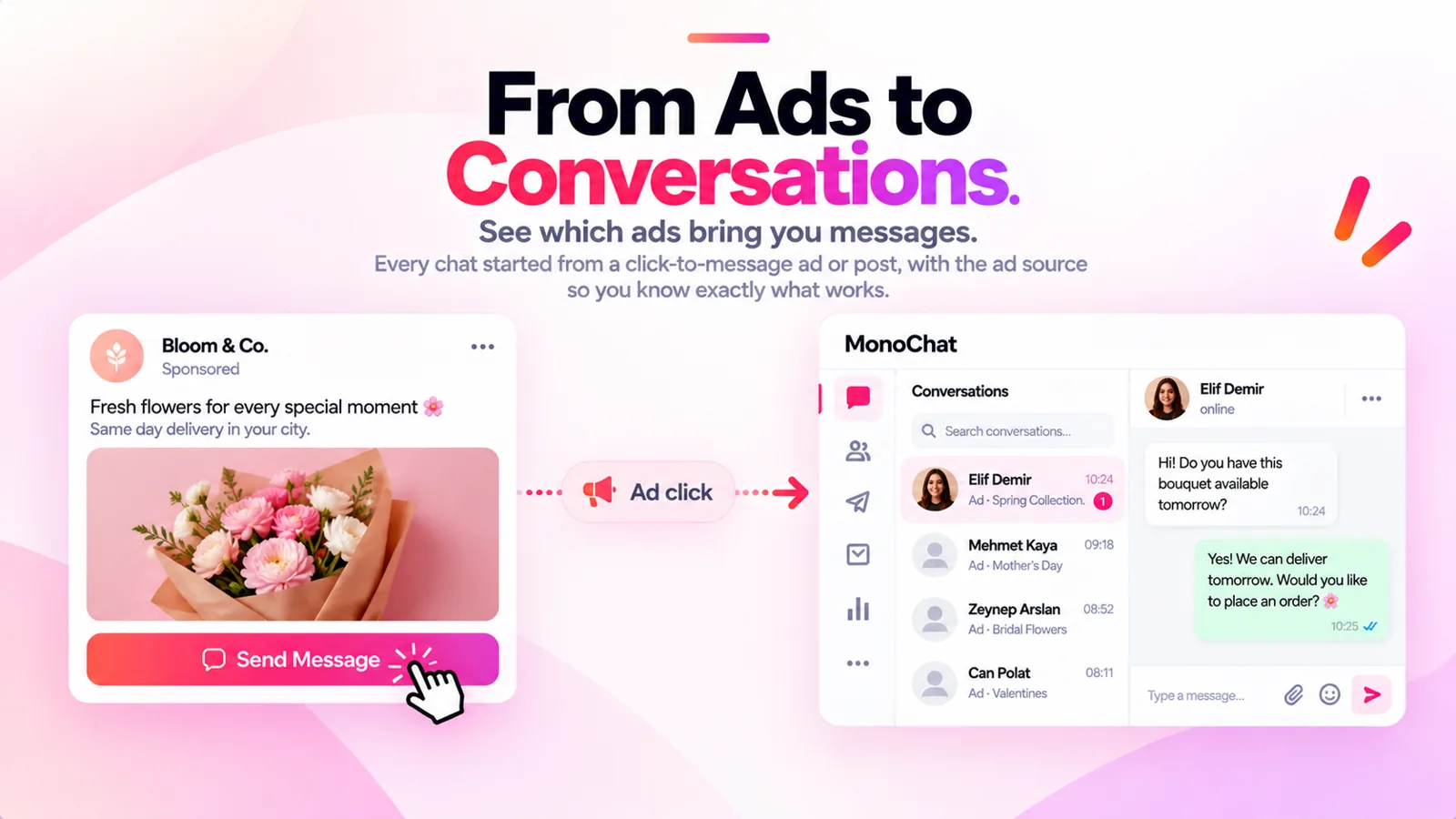
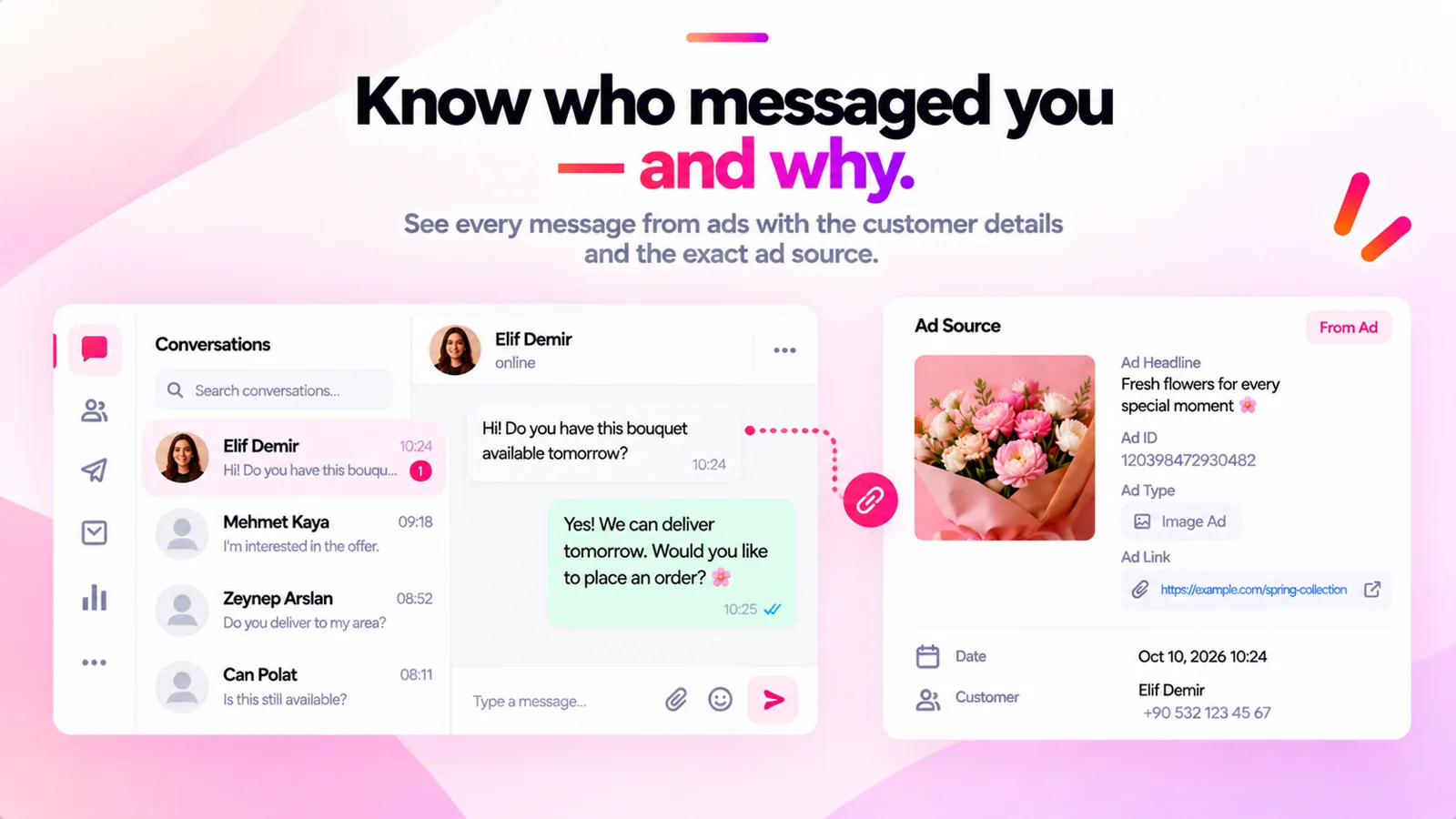
When a customer writes to you by clicking a Meta ad or post (click-to-WhatsApp, click-to-Instagram Direct), the message carries the ad it came from.
Ads Referral Report collects those messages so you can see which campaigns actually start conversations, and who wrote from each one.
In the UAE
For agencies and brands running click-to-WhatsApp campaigns across the Emirates.
What it does
-
Which ads start chats
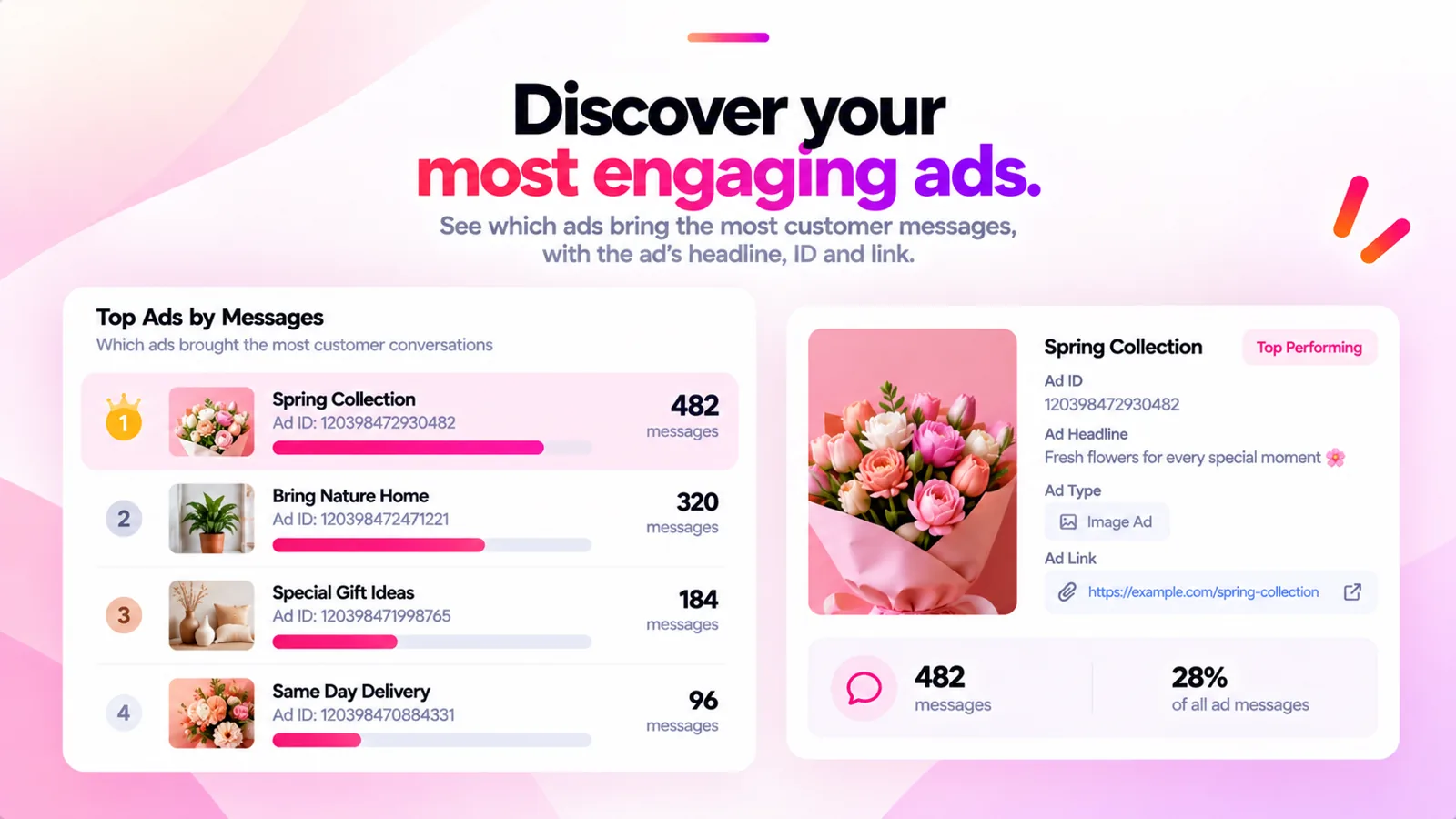
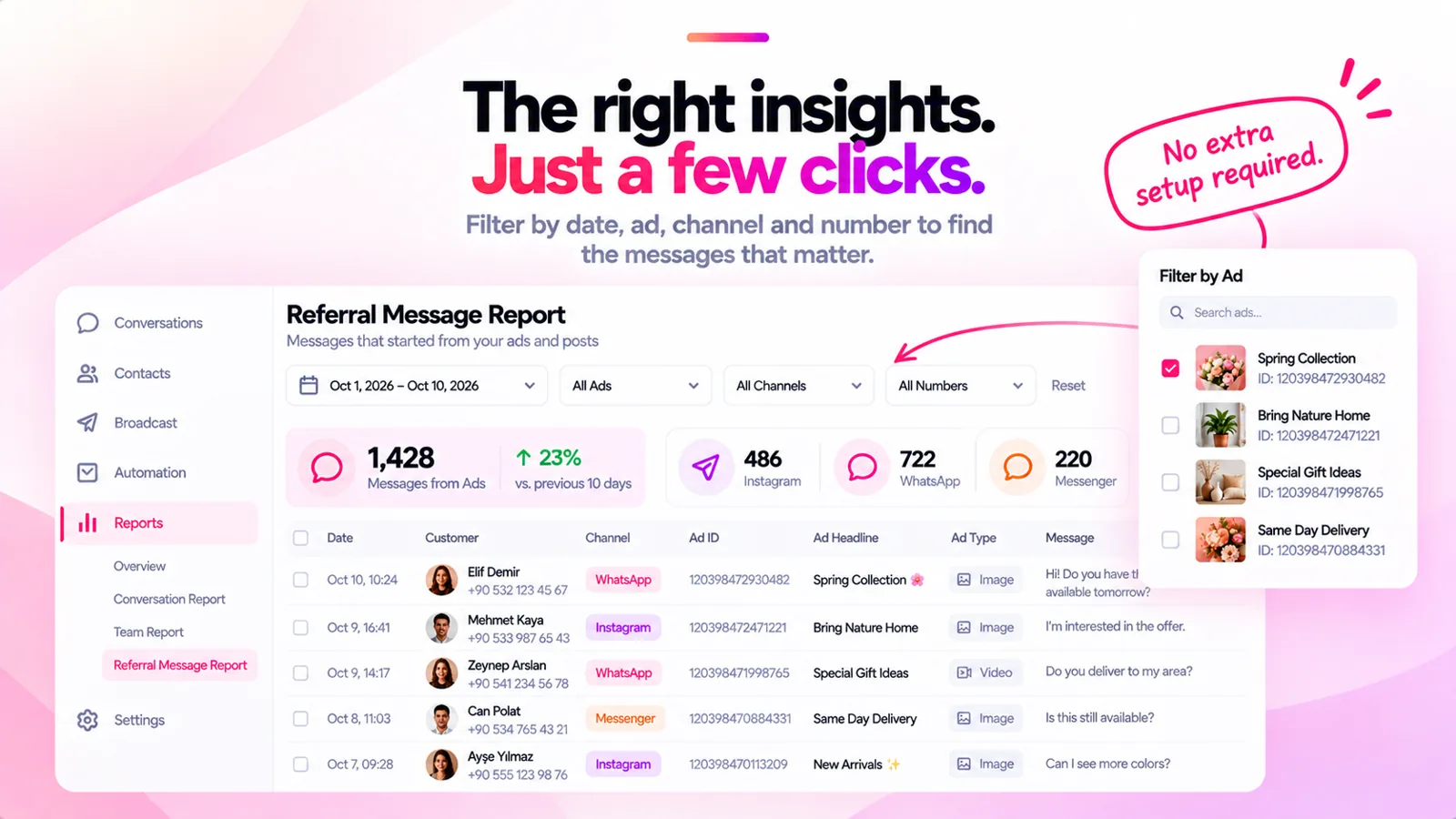
Messages per ad, by the ad’s id and headline, from the most to the least.
-
Every channel
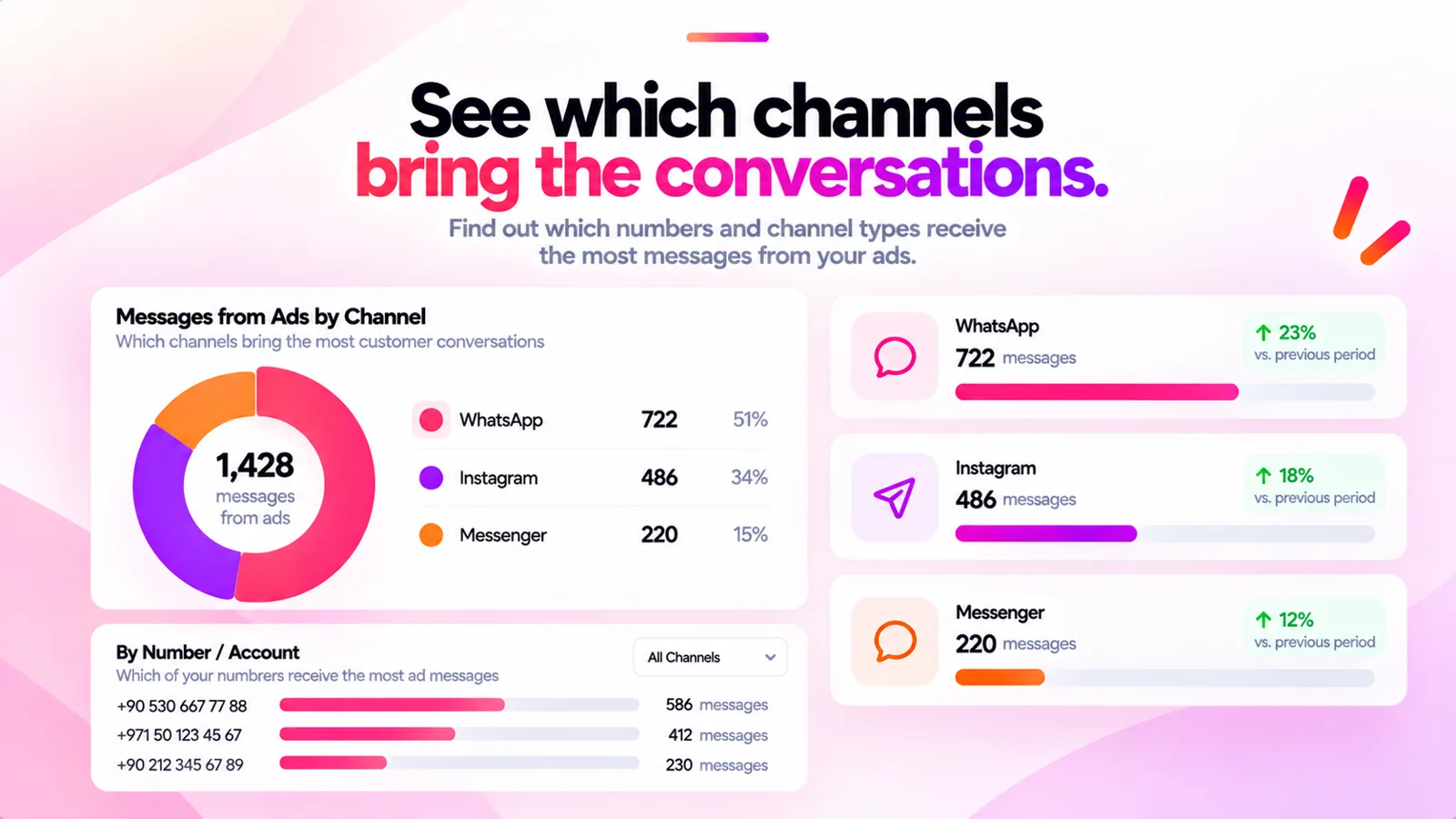
Which of your numbers and accounts, and which channel types, receive the ad traffic.
-
No extra setup
The report reads your workspace’s data; nothing needs to be set up.
Inside the app
-
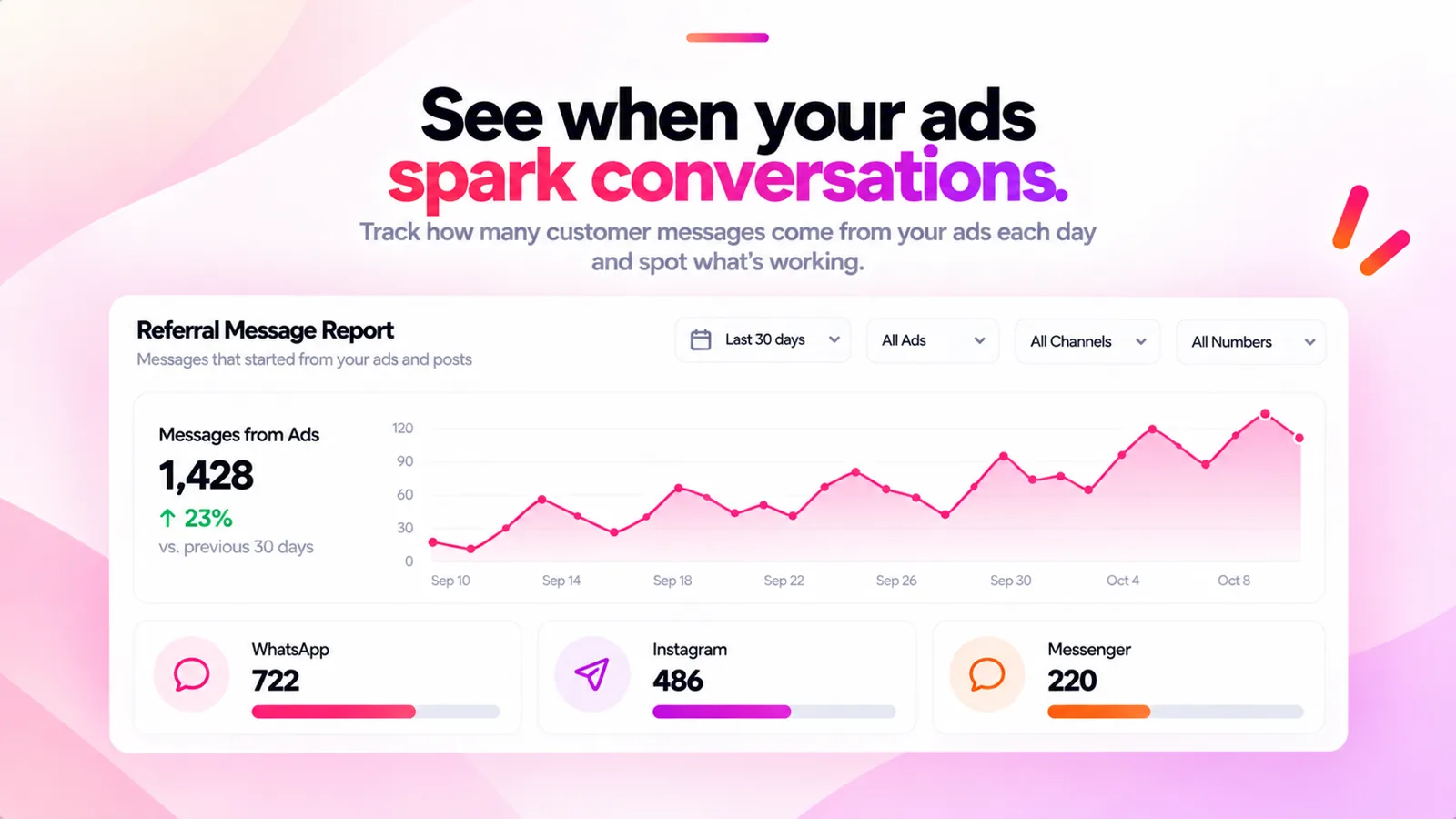
Daily trend
How many messages came from ads each day.
-
Best ads
Messages per ad, by the ad’s id and headline.
-
By channel
WhatsApp, Instagram and Messenger, and each of your numbers and accounts.
-
Every message
Customer name and phone or username, date, channel, the ad’s id, headline, type and link, and what the customer wrote.
-
Filters
Date range, ad (source id), channel type and channel.
Getting started
-
Install the app
Install Ads Referral Report in your workspace.
-
Open the report
Go to Reports › Referral Message Report.
-
Match with Ads Manager
Match the ad id with your Meta Ads Manager to see the campaign.
Good to know
- Only messages that came with ad or post referral data from Meta are counted; customers who write without clicking an ad are not in the report.
Screens
FAQ
Frequently asked questions
Short answers to the questions we hear most.
Which messages are counted?
Only messages that came with ad or post referral data from Meta, such as click-to-WhatsApp and click-to-Instagram Direct ads. Customers who write without clicking an ad are not in the report.
Do I need to set anything up?
No. Install the app and open Reports › Referral Message Report; it reads your workspace’s data.
Can I see the campaign name?
The report shows the ad’s id and headline as Meta sends them. Match the id with your Ads Manager to see the campaign.
Which channels are included?
WhatsApp, Instagram and Messenger messages that started from an ad or post, broken down by each of your numbers and accounts.
Other apps
-
Lead Ads Follow-up
Sends WhatsApp template messages to people who fill your Facebook and Instagram Lead Ads forms, at the delay you choose. -
Google Review Requests
Asks customers for a Google review after their visit, with your review link for each branch, fairly and with an easy way to stop. -
ClickUp Lead Sync
Turns leads and orders from your conversations into ClickUp tasks, and brings your team’s changes back to MonoChat. -
MonoChat Toolkit
Ready-made AI tools and flow nodes: menus, surveys, appointments, leads, coupons, branches, email, Google Sheets and more. -
MonoChat Start
Give it your website, and in two minutes an AI assistant answers your customers on WhatsApp, Instagram and your site. -
CompanyAI
An AI assistant built from your website: it learns your products, policies and FAQs, sends requests and complaints to the right department as tasks, and searches your Shopify store. -
MonoChat Tasks
Turn conversations into tasks: assign them, move them through your own states, discuss them in comments and set reminders, next to the chat. -
WhatsApp Template API
Send approved WhatsApp templates from your CRM, ERP or online shop with one API call; replies arrive in your MonoChat inbox. -
Session Link
One API call returns a link to a customer’s conversation in MonoChat, creating the customer and the conversation if needed, and can assign it to an agent or workgroup.
First month of Growth on us
Bring every customer conversation into one place.
Connect your first channel in minutes. Basic is free for 1,000 outgoing messages a month.
One code per business • 30 days to redeem • No card needed